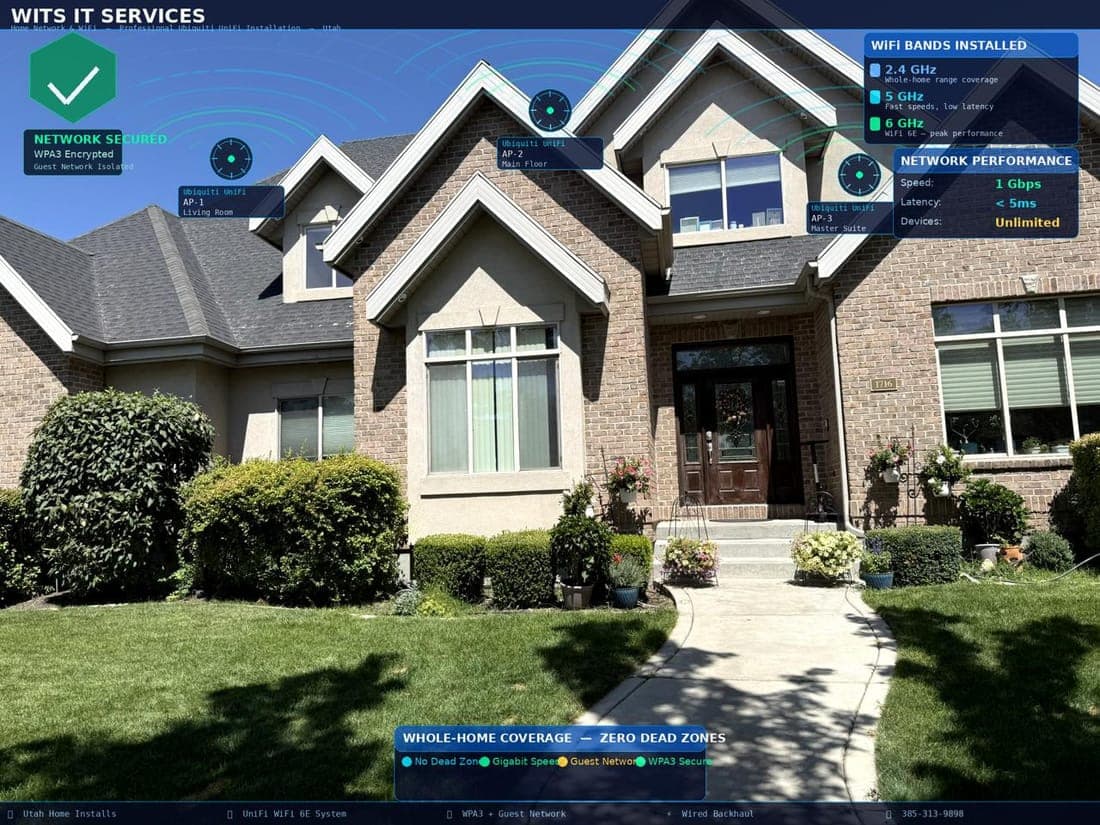
Home Network & WiFi Installation in Utah

Dead WiFi zones are one of the most frustrating problems in a Utah home — the back bedroom where Netflix buffers no matter what, the home office where Zoom calls drop at the worst possible moment, the backyard where your Ring camera loses connection and stops recording.

The problem is not your internet plan. It is your network. WITS IT Services designs and installs professional home WiFi networks across Utah. Our Cisco CCIE certified engineers — the same credential used to design networks for hospitals and corporate campuses — map your home's signal coverage with professional tools, identify every dead zone, and install the right solution for your specific home. Not the cheapest mesh kit from a big box store. The right system: Eero Pro, Ubiquiti UniFi, or Netgear Orbi, configured properly with the settings most homeowners never know exist.

Every WITS WiFi installation begins with a Network Design Consultation — a 90-minute on-site visit where our Cisco CCIE engineer maps your home for signal coverage, identifies the exact cause of every dead zone, and designs the right solution for your specific layout before any equipment is purchased or any work begins. You receive a written proposal with the exact hardware, placement plan, and total installation cost.

The consultation is $135. If you move forward with WITS, that $135 applies in full toward your installation. If you decide not to proceed, you keep the network design. Either way, you get a professional assessment from a certified engineer — not a sales visit.

Same-day installation available across Salt Lake City, Sandy, Draper, Provo, Ogden, and the entire Wasatch Front. Two-tech installation on every job. Call 385-242-2514 to schedule your Network Design Consultation.

Problems This Service Solves

Slow Internet or Dead Zones

Your router sits in one corner of your house while your home office, back bedroom, and backyard sit at the other end. WiFi signal weakens through walls, across floors, and over distance — and Utah homes, often larger with concrete foundations and thick framing, make this worse than average. The result: fast internet you are paying for that does not reach where you need it. We map your home's signal strength in every room before recommending a single piece of equipment, then install a solution that actually covers your entire property.

Buffering Video & Dropped Calls

Your Zoom call freezes mid-sentence. Netflix buffers on a TV three rooms from the router. Your YouTube video takes 30 seconds to start playing. These are not internet speed problems — they are WiFi problems. Your provider is delivering the speed you are paying for, but it is not reaching your devices consistently. A properly designed home network, or a single Cat6 Ethernet cable run to your TV or desk, eliminates buffering completely and permanently. Most clients notice the difference within minutes of our installation.

Overloaded Network

A modern Utah household connects 20 to 40 devices to the same network: smartphones, laptops, smart TVs, streaming sticks, security cameras, Nest thermostats, smart lights, gaming consoles, voice assistants, and tablets. Most home routers were built for a fraction of that device count. When too many devices compete for bandwidth through a single access point, everything slows down for everyone. We design networks with enough access points, proper channel separation, and QoS settings to give every device the speed it needs simultaneously.

No Ethernet Port Where You Actually Need One

Your home office desktop, gaming console, and smart TV all perform significantly better with a direct wired Ethernet connection than over WiFi. The problem is there are no Ethernet ports in the right rooms — just a single connection point near wherever the original cable tech stood when they set up your internet. We add Ethernet ports exactly where you need them: home office desk, gaming room, entertainment center, basement, garage. All wiring runs through walls and attics completely concealed, with professional wall plates that look built-in.

Messy Cable Setup Nobody Can Make Sense Of

There is a nest of cables behind your router that nobody wants to touch because nobody knows which cable does what. Coax cables left from a previous provider. Ethernet cables that may or may not be connected to anything. Power strips overloaded with adapters. We organize, test, label, and clean up your network equipment area — removing unnecessary cables, properly routing and securing active connections, and leaving you with a setup where every cable has a purpose and a label. Clean, documented, and easy to understand.

Need to Run Ethernet Cable Through Your Walls or Attic

You want a wired internet connection in a specific room but there is no Ethernet port there and no obvious way to get cable there. Running Cat6 Ethernet through finished walls requires the right tools, knowledge of fire blocking and insulation obstacles, and experience terminating keystone jacks cleanly. We route cable from your router location through wall cavities, across attic runs, and through crawl spaces — all completely concealed — and terminate each end with a flush-mounted wall plate. Full gigabit confirmed with a cable tester before we leave.

Google Fiber Box or Fiber Jack Installed in the Wrong Room

Google Fiber, UTOPIA Fiber, and other fiber providers sometimes install the fiber termination point or router jack in a utility room, garage, or location that is inconvenient for your actual network setup. Moving the fiber jack or extending the connection to a better central location requires fiber-safe handling and proper reconfirmation with the provider. We assess your fiber installation, plan the optimal router placement for your home's layout, and extend or relocate the connection cleanly. We coordinate with Google Fiber or your provider as needed.

How It Works

1

Home Assessment

Before we recommend a single piece of equipment, we visit your Utah home and map it. We measure WiFi signal strength in every room using a professional network analyzer — not just walking around with a phone. We note wall construction material (drywall, concrete block, brick), floor plan layout, locations of potential access point mounting positions, router placement relative to the main living areas, and the distance to any outbuildings you need covered.

You get a clear picture of exactly where your signal is strong, where it is weak, and why. We then recommend the right solution for your specific home — not a generic kit — and give you a specific time and cost estimate before any work begins.

2

Design and Installation

Once the assessment and plan are approved, we install. For mesh WiFi systems, we position each node at the location identified during the assessment — not wherever an outlet is convenient — and configure wired backhaul between nodes where possible. Wired backhaul means each mesh node connects to the next via a Cat6 cable rather than wirelessly, which dramatically improves throughput and eliminates the speed loss that affects most consumer mesh setups.

For access point installations, we mount each unit at ceiling level or high on the wall at the optimal angle, route all cabling through walls and attics completely concealed, and configure each access point with the correct channel, transmit power, and band settings for your home's layout.

3

Connectivity Check & Speed Test

Once everything is installed and configured, we run speed tests in every room — including every location that was a dead zone before. We use a professional network testing app that measures not just download speed but also latency, packet loss, and signal quality at each test point.

We connect your existing devices to the new network, confirm every device is associating with the nearest access point rather than fighting to stay connected to the far one, and resolve any channel conflicts with neighboring networks. We do not leave until we have confirmed full-strength coverage at every location we promised, and until you have seen the test results yourself.

Why WITS Designs Better Home WiFi Than Your ISP or Best Buy

When your internet provider installs your service, they drop one router in the most convenient location for their technician — usually near the front door or utility room. Consumer WiFi equipment from Best Buy is designed and priced for an average apartment, not a 3,000-square-foot Utah home with thick walls, multiple floors, a finished basement, and a backyard you want covered.

WITS IT Services engineers hold Cisco CCIE certification — the credential used to design WiFi networks for hospitals, universities, and corporate offices. We apply that same engineering discipline to your home. That means we model signal propagation before placing a single access point. We plan channel assignments to avoid interference from your neighbors. We configure QoS rules so your video call traffic is prioritized over your kids' background downloads. We use wired backhaul between mesh nodes so you do not lose half your speed to the wireless link between them.

The result is WiFi that works everywhere, all the time — not WiFi that mostly works most of the time until you restart the router.

WiFi Systems & Equipment We Install in Utah Homes

We are not tied to any single brand. We recommend the right system for your home's size, construction, and budget — then install and configure it correctly.

Consumer mesh systems: Eero Pro 6E (ideal for most Utah homes under 4,000 square feet), Google Nest WiFi Pro, Netgear Orbi RBK963, TP-Link Deco XE75 Pro. These systems work well when properly configured and placed — which most DIY installations are not.

Professional access point systems: Ubiquiti UniFi (our most recommended solution for larger homes, multi-building properties, and homeowners who want enterprise-grade performance), Cisco Meraki for premium whole-property coverage.

For your internet equipment: we optimize, configure, and where needed replace ISP-provided routers from Xfinity, CenturyLink, Google Fiber, and UTOPIA Fiber. We also install network switches, patch panels, and UPS (uninterruptible power supplies) to protect your network equipment.

Not sure what your home needs? The $135 Network Design Consultation answers that — and if you move forward, it applies toward your installation.

Where We Install Home WiFi & Ethernet in Utah

WITS IT Services installs home WiFi networks and Ethernet throughout the Wasatch Front. In the Salt Lake Valley we serve Salt Lake City — including Sugar House, Millcreek, Holladay, and the Avenues — Sandy, Draper, Murray, Midvale, West Jordan, South Jordan, Riverton, Herriman, and Taylorsville. In Utah Valley we serve Provo, Orem, Lehi, American Fork, Pleasant Grove, and Springville. North of Salt Lake City we serve Bountiful, Centerville, Layton, and Ogden. We also serve the mountain communities of Park City, Heber City, Kamas, and Midway. Same-day WiFi installation and repair is available across all primary service areas. For large properties, multi-building estates, and vacation homes in mountain communities, call 385-242-2514 to confirm coverage and scheduling.

Trusted by Businesses & Homes Across Utah

Real reviews from real people

Loading...

Schedule a Consultation

Let's discuss how we can support your home with reliable managed IT services.

Contact Support

Frequently Asked Questions

Common questions about IT services for businesses and homes in Utah

Every WITS WiFi installation begins with a $135 Network Design Consultation — a 90-minute on-site visit where a Cisco CCIE engineer maps your home, identifies dead zones, and designs the right solution before any equipment is purchased. That $135 applies in full toward your installation if you proceed. For project pricing on full structured cabling jobs, call 385-242-2514.

We install enterprise-grade equipment from Ubiquiti UniFi and Cisco Meraki — far superior to consumer routers. We also install Netgear Orbi, TP-Link Deco, and Eero mesh systems based on your budget and home size. Every installation includes a site survey before hardware is selected.

Yes — structured cabling is our specialty. We conceal Ethernet cable through walls, attics, ceilings, and even underground to connect detached structures. A wired connection is always faster and more reliable than WiFi for home offices, gaming, and smart TVs.

We serve Salt Lake City, Sandy, Draper, Provo, Orem, Ogden, West Jordan, Murray, Lehi, Herriman, Riverton, South Jordan, Taylorsville, Layton, and the entire Wasatch Front. Same-day and next-day appointments available. Call 385-242-2514.

Yes. We configure separate SSIDs for your main household, a guest network for visitors, and an isolated IoT network for smart home devices. This improves both performance and security — smart devices cannot be used to access your personal computers.

The time depends on the scope of the project. The Network Design Consultation ($135) is 90 minutes. A simple router optimization or single access point addition to an existing system: 1-1.5 hours. A full mesh WiFi system installation in a 2,500-4,000 square foot Utah home: 2-4 hours. A multi-room Ethernet wiring project with a central patch panel plus WiFi: 4-6 hours depending on the number of runs and the home's construction.

We always give you a written time and cost estimate during the consultation before any work begins. Two techs on every installation job.

A standard router broadcasts WiFi from a single point. Signal strength drops with distance and degrades through walls. In a smaller home or apartment, one good router in a central location can cover everything. In most Utah homes — larger square footage, multiple floors, finished basements, and backyard coverage needs — a single router creates dead zones no matter how good it is. A mesh WiFi system uses multiple nodes placed throughout the home.

Each node broadcasts its own strong signal and seamlessly hands your devices off as you move between rooms. You stay connected without noticing the transition. For homes over 2,000 square feet, multiple floors, or with outbuildings to cover, mesh is almost always the right choice. During the Network Design Consultation we assess your specific home and recommend exactly what you need — not the most expensive option, the right one.

Have another question? We're here to help.

Contact Us