On-Site Computer Repair in Utah — We Come to You. Same Day. Mac & PC.

Your computer stopped working and you do not want to box it up, drive to a strip mall, and wait a week for a technician you have never met to look at it.

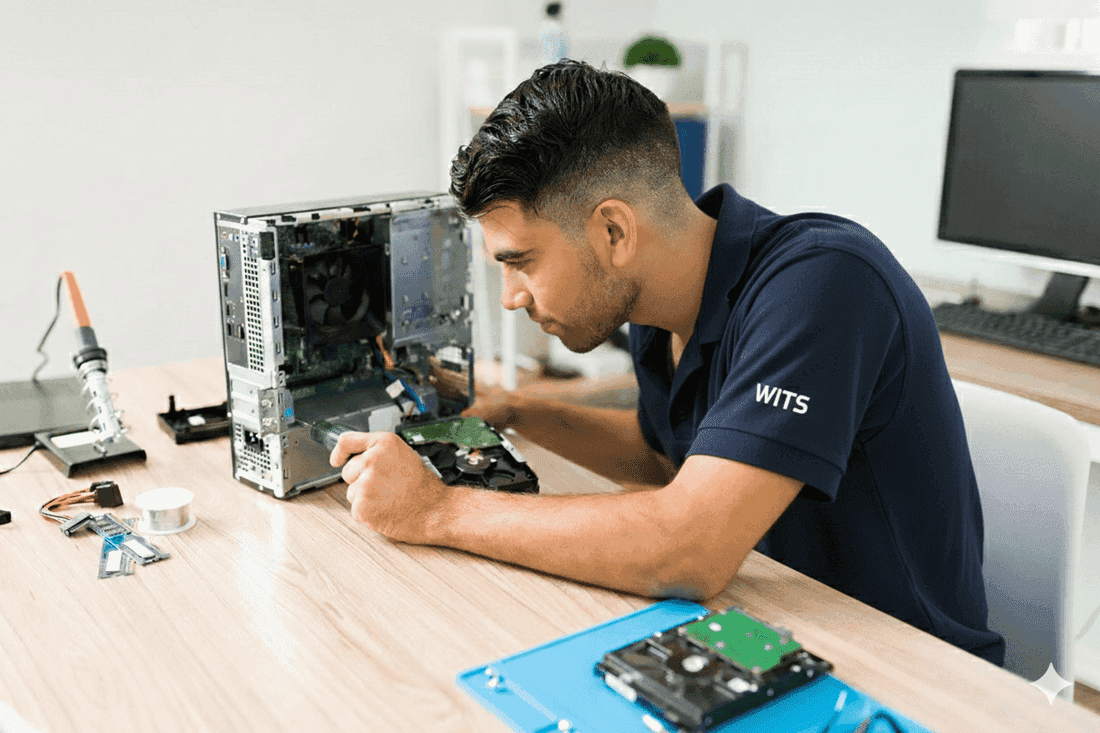
That is a completely reasonable position — and it is exactly why WITS IT Services exists. We come to your Utah home and repair your Mac or PC during a single visit. No drop-off, no waiting, no shop. A WITS technician arrives with professional diagnostic hardware and software — the same tools used in certified repair facilities — and fixes the actual root cause of the problem, not just the symptom. Slow startup, virus infection, crashed hard drive, laptop that will not turn on, screen that went dark, data you thought was gone, Windows update that broke everything — we handle all of it for Mac and PC alike.

Every WITS computer repair visit begins with a $135 flat-rate diagnostic. In 90 minutes, our technician runs a full hardware test — memory, storage, battery, thermals, ports — and a full software audit — OS integrity, startup processes, malware scan, driver conflicts, and update failures. You receive a complete written report of every problem found in your machine, with a specific repair quote and an honest recommendation on whether the repair makes financial sense for your specific computer. That report is yours regardless of what you decide next.

If you proceed with the repair, the $135 applies toward the total. If we determine the machine is not worth repairing — because the repair cost exceeds the value of the hardware — we tell you that directly, with specific replacement options at your price point. The diagnostic fee is the only charge for that visit.

Same-day appointments available across Salt Lake City, Sandy, Draper, Provo, Ogden, and the entire Wasatch Front. Call 385-242-2514 to schedule your diagnostic.

Problems This Service Solves

Slow Performance

Your computer used to boot in 30 seconds. Now it takes 5 minutes and freezes every time you open two applications at the same time. Slow performance has several root causes — a nearly full hard drive, failing hardware, malware running silently in the background, too many startup programs, or an operating system that needs a clean reinstall. We run a full system diagnostic to identify the actual cause and fix it permanently. Upgrading to a solid-state drive is the single most impactful change for an older Mac or PC.

Virus or Malware Infection

Pop-up ads that appear on every website, including sites that have never shown ads before. Your browser redirecting to pages you did not navigate to. Security warnings that appear even when you are not browsing. Your computer running hot and loud doing nothing. These are the signs of active malware infection. We run professional-grade removal tools that catch threats your built-in antivirus missed, eliminate every instance, configure your defenses against reinfection, and check whether any personal data was compromised.

Printer Connection Issues

Printers are the most reliably frustrating piece of technology in any Utah home. They show as offline when they are clearly on. They print test pages but not from your computer. They work for a week and then stop for no apparent reason. The most common printer problems are completely fixable in under an hour at your home — driver reinstallation, network reconnection, or printer spooler reset. We fix it before we leave so you can print the same day.

Data Transfer

Getting a new computer should feel exciting. Instead it turns into a frustrating day of moving files, reinstalling applications, setting up email accounts, and realizing your old bookmarks and settings are all on the other machine. We handle complete data migration — PC to PC, Mac to Mac, or PC to Mac — using professional migration tools that move files, applications, accounts, and settings accurately. Your new computer feels like home before we leave.

Computer Won't Turn On or Shows a Black Screen

A computer that will not power on, shows a black screen on startup, or starts and immediately shuts off again could be a dead battery, failed power supply, unseated RAM stick, corrupted boot files, or a failing hard drive. The diagnosis determines whether your data is safe. We bring professional diagnostic equipment to your Utah home, identify whether it is a hardware or software fault, and in most cases have you back up and running during the same visit. If a part is needed, we source it and return quickly.

Data Recovery — Files Deleted or Drive Crashed

Hard drive making a clicking noise. Computer shows "no bootable device found." You deleted photos you cannot get back. Your laptop fell and now it will not start. Your data may still be fully recoverable — but the most important rule is to stop using the device immediately. Every additional write to a failing drive reduces recovery chances. We use professional data recovery tools to retrieve files from drives that have crashed, been formatted, or been corrupted. Call 385-242-2514 as soon as it happens.

Cracked Screen, Dead Battery, or Physical Damage

Cracked laptop screen, keyboard that stopped working, charging port that does not charge, battery that drains to zero in under an hour — hardware damage does not always mean you need a new computer. We diagnose and repair physical damage on MacBooks and Windows laptops at your Utah home or at our Lehi location for repairs requiring more time. We carry common replacement parts for popular laptop models. Call ahead with your model and we will confirm part availability.

How It Works

1

Diagnosis

We bring professional diagnostic hardware and software tools to your Utah home — a network cable tester, a drive health analyzer, a RAM stress-testing tool, and a professional malware scanner. These are the same tools used in certified repair facilities, not a single all-in-one app from the App Store.

We run a complete system check covering drive health (SMART data and read speed), RAM integrity, CPU and GPU thermals, battery condition (for laptops), driver conflicts, malware scan, and operating system integrity. We explain every finding to you in plain English before we start any repair. No work begins without your approval.

2

The Fix

We repair the root cause — not just the symptom. If malware is slowing your computer, we remove it completely and close the entry point it used. If the hard drive is beginning to fail, we clone your data to a new drive before anything is lost. If a RAM stick is faulty, we test each one individually and replace only the bad one. If it is a software issue, we repair or reinstall cleanly without touching your personal files.

Most repairs are completed during the initial visit. If a hardware component needs to be ordered, we have it within 24-48 hours and return the same week.

3

Optimization

Once the repair is done, we do not pack up and leave. We run a full system optimization: remove unnecessary startup programs, update your operating system and drivers, configure your antivirus software, test your printer and peripherals, and run a final speed benchmark to confirm the improvement.

For laptop repairs, we calibrate the battery and confirm charging. For SSD upgrades, we verify read and write speeds. We test the specific function that was failing — whether it is booting, printing, internet access, or application stability — and confirm it is resolved before we say goodbye.

Why On-Site Computer Repair Changes Everything

When you take your computer to a repair shop, several things happen that do not work in your favour. You describe the problem to a front-desk person who has never seen your computer. That description is passed to a technician who may or may not work on your machine the same day. You wait 3-7 business days. You pay a diagnostic fee before they tell you what is wrong. You pick it up and hope the problem is gone.

When WITS comes to your Utah home, the technician who talks to you is the same person who repairs your computer. They hear you describe the problem, they see your setup, they notice the way your desk is configured, the number of browser tabs you typically have open, the applications you use. Context that is impossible to convey at a drop-off counter.

On-site repair is faster, more accurate, and more personal. It is also why our repairs last — because we fix what is actually wrong for how you actually use your computer.

Mac and PC Models We Repair in Your Utah Home

MacBook repairs: MacBook Air (M1, M2, M3, Intel models), MacBook Pro 13-inch and 16-inch (M1 Pro, M2 Pro, M3 Pro, Intel), SSD upgrades, RAM assessment, display diagnostics, keyboard and trackpad issues, and OS reinstallation with full data preservation.

iMac and Mac desktop: iMac 24-inch (M1, M3), Mac Mini (M2, M4), storage and performance upgrades, migration from older Mac, and software conflicts.

Windows laptops: Dell XPS, HP Spectre and Envy, Lenovo ThinkPad and IdeaPad, Microsoft Surface Pro and Laptop, ASUS ZenBook, Acer Swift — all models running Windows 10 and Windows 11.

Gaming and custom PCs: Alienware, ASUS ROG, MSI, and custom-built desktops — GPU troubleshooting, RAM and SSD upgrades, cooling issues, and Windows gaming optimization.

We do not repair iPhones, iPads, or Android smartphones (hardware), but we do assist with software setup and account configuration on all mobile devices.

Where We Provide On-Site Computer Repair in Utah

WITS IT Services provides on-site computer repair throughout the Wasatch Front and Utah Valley. We serve Salt Lake City — including Sugar House, Millcreek, Holladay, and the Avenues — Sandy, Draper, Murray, Midvale, West Jordan, South Jordan, Riverton, Herriman, and Taylorsville in the Salt Lake Valley. In Utah Valley we serve Provo, Orem, Lehi, American Fork, Pleasant Grove, and Springville. North of Salt Lake City we serve Bountiful, Centerville, Layton, and Ogden. We also serve Park City and Heber City. Same-day computer repair service is available across all primary areas. Call 385-242-2514 — we can usually schedule within hours.

Trusted by Businesses & Homes Across Utah

Real reviews from real people

Loading...

Schedule a Consultation

Let's discuss how we can support your home with reliable managed IT services.

Contact Support

Frequently Asked Questions

Common questions about IT services for businesses and homes in Utah

Every WITS repair visit begins with a $135 flat-rate diagnostic — 90 minutes of on-site hardware and software testing that produces a complete written report of every problem found, a specific repair quote, and an honest recommendation on whether the repair makes financial sense for your machine. The $135 applies toward the repair if you proceed. If the machine is not worth repairing, the diagnostic fee is the only charge for that visit. Call 385-242-2514.

Yes — WITS IT Services offers same-day on-site computer repair across Salt Lake City, Sandy, Draper, Provo, Ogden, and the Wasatch Front. We are available 24/7 for urgent repair requests. Call 385-242-2514.

Yes. WITS technicians are certified on both macOS (all MacBook, iMac, Mac mini, and Mac Pro models) and Windows PCs from all manufacturers. We also service Linux systems, tablets, and most personal devices.

The most common causes of a slow computer are malware, too many startup programs, a failing hard drive, overheating, or simply needing an SSD upgrade. Yes — we diagnose and fix all of these on-site at your Utah home. No shop drop-off necessary.

Yes. Our KLCP-certified cybersecurity technicians perform full malware removal, rootkit scanning, and post-removal hardening — including updating your OS, enabling real-time protection, and securing your home network.

In most cases, yes — and this is the question we get the most calls about. When a computer will not turn on or will not boot, the files stored on the hard drive or SSD are usually still completely intact. The problem is almost always the operating system or a piece of hardware — not the storage device containing your data. We use professional data recovery tools to access and copy your files from drives that will not boot normally, drives making clicking sounds, and drives that show filesystem errors.

The single most important thing you can do: stop using the computer the moment you notice a problem. Every additional write to a failing drive reduces the probability of successful recovery. Call 385-242-2514 as soon as the issue starts — do not try to force the computer to start again.

Yes — in almost every case. For virus removal, slow performance optimization, driver updates, and software repairs, your files are completely untouched throughout the process. We work on the system layers, not the storage layer. For operating system reinstalls — which are sometimes the cleanest and most reliable solution for a badly corrupted system — we always back up your complete file library first. We will never perform any work that risks your data without your explicit knowledge and a confirmed backup in place.

We explain every option and its risk level so you make the informed decision. For hardware replacements such as a new hard drive or SSD, we clone your existing drive to the new one so your files, applications, and settings transfer exactly as they were. You get a faster computer that feels identical to the one you had before — just without the problem.

Have another question? We're here to help.

Contact Us